Programming · v0.2 · Aug 2026 to now · ongoing
VantagePath
It's a motion-planning library and browser path editor that works out where the robot should be at every moment of a route. It now drives 4613R's competition autonomous.
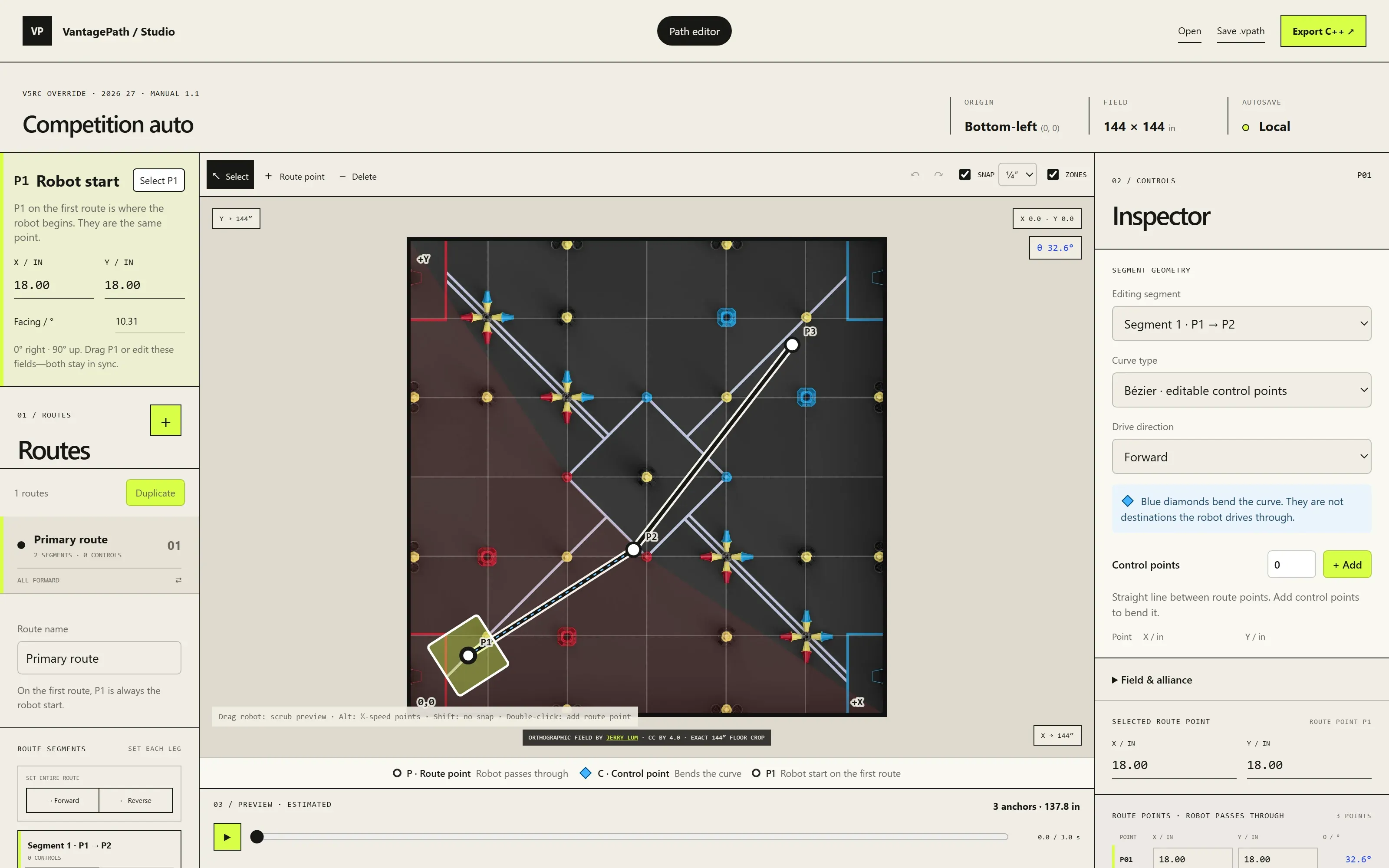
Corners kept surprising the robot
Our autos used a library that steers toward a point ahead of the robot. It works, but it only finds out a corner is tight once the robot is already drifting off line, so tuning one corner often broke another.
I wanted to decide where the robot should be, and how fast it should be going, at every moment of the route before it moves. Then it only has to correct small errors along the way.
What I wanted
- Know where the robot should be at every moment of a route.
- Slow down for a corner before reaching it, not after drifting off line.
- Draw routes on the field instead of typing coordinates.
Choices that shaped it
01
Plan the whole motion first
Instead of reacting to error, the robot follows a plan that already slows down before tight turns, so corners stop being a surprise.
02
Respect what the robot can actually do
The plan is checked against real limits like top speed and battery voltage, so it doesn't ask for moves the drivetrain can't make.
03
Make failure obvious
A motion reports whether it finished, ran out of time or went off course, so an auto can react instead of carrying on blind.
04
Draw routes instead of typing them
Typing coordinates into code gets slow once a route has more than a few points, so I built Studio, a browser editor where you draw the route on the field and export it.
05
My ideas, built with AI
The concepts and the design were mine. AI helped turn them into code, and I tested everything on the robot and decided what stayed.
How I built it
The steps, in the order they happened.
01 Day 1
The core working
With AI writing code from my designs, the planner, the robot controller and its tests were all running on the first day.
02 Day 3
Studio
I built the browser editor for drawing routes on the field.
03 Week 3
On the competition robot
4613R's competition auto was drawn in Studio and running on the robot.
04 Week 4
Polished from real use
We added fixes and small features that only showed up once we used it every day.
Drawing a route
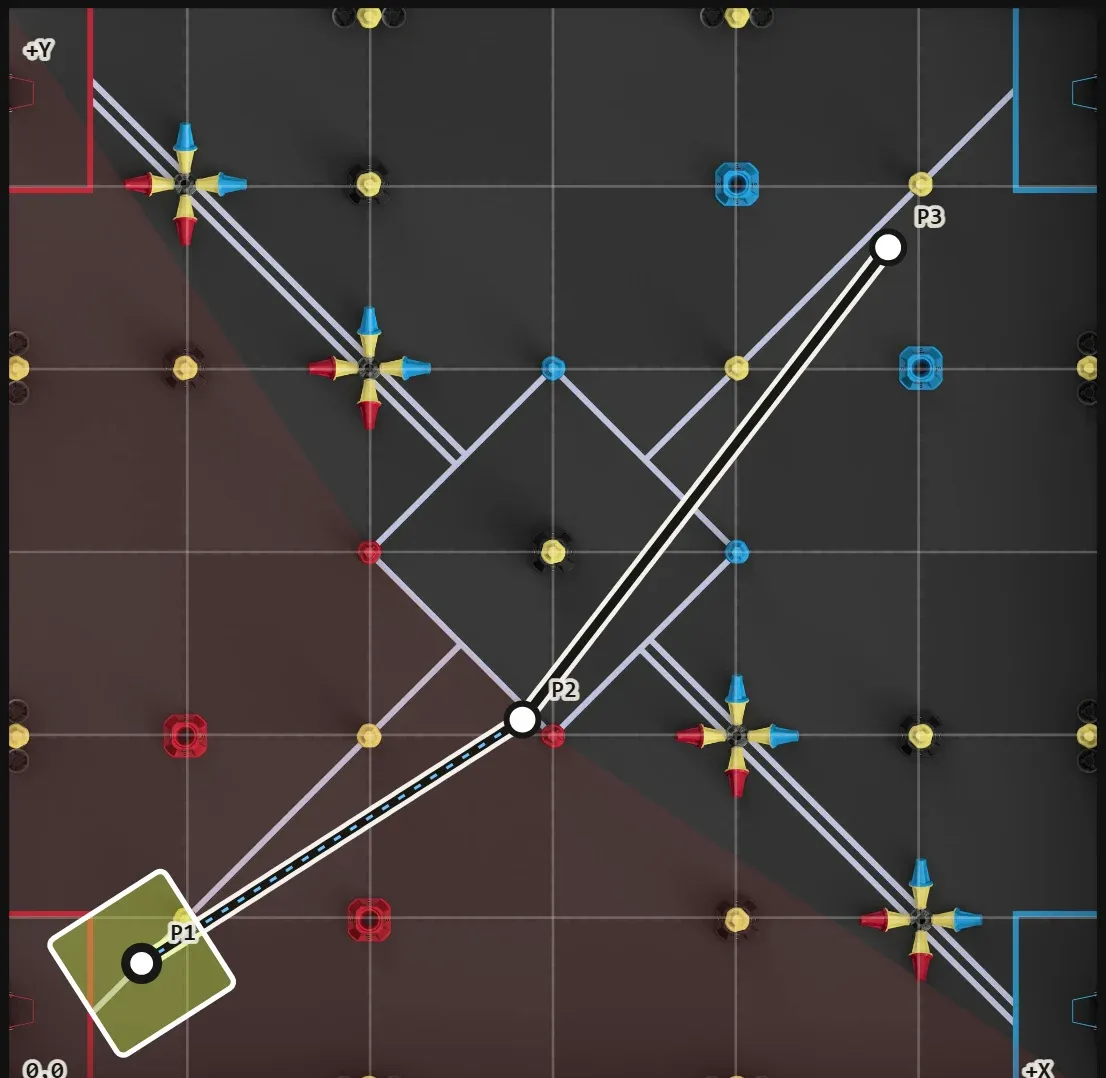
01
Routes drawn on the field
Routes are drawn on the real field, with forward and reverse legs, and exported straight into the robot's code. 4613R's competition auto was made this way.