PCB design · Rev C · Sep 2026 to now · ongoing
V5 Wireless Tuning Bridge
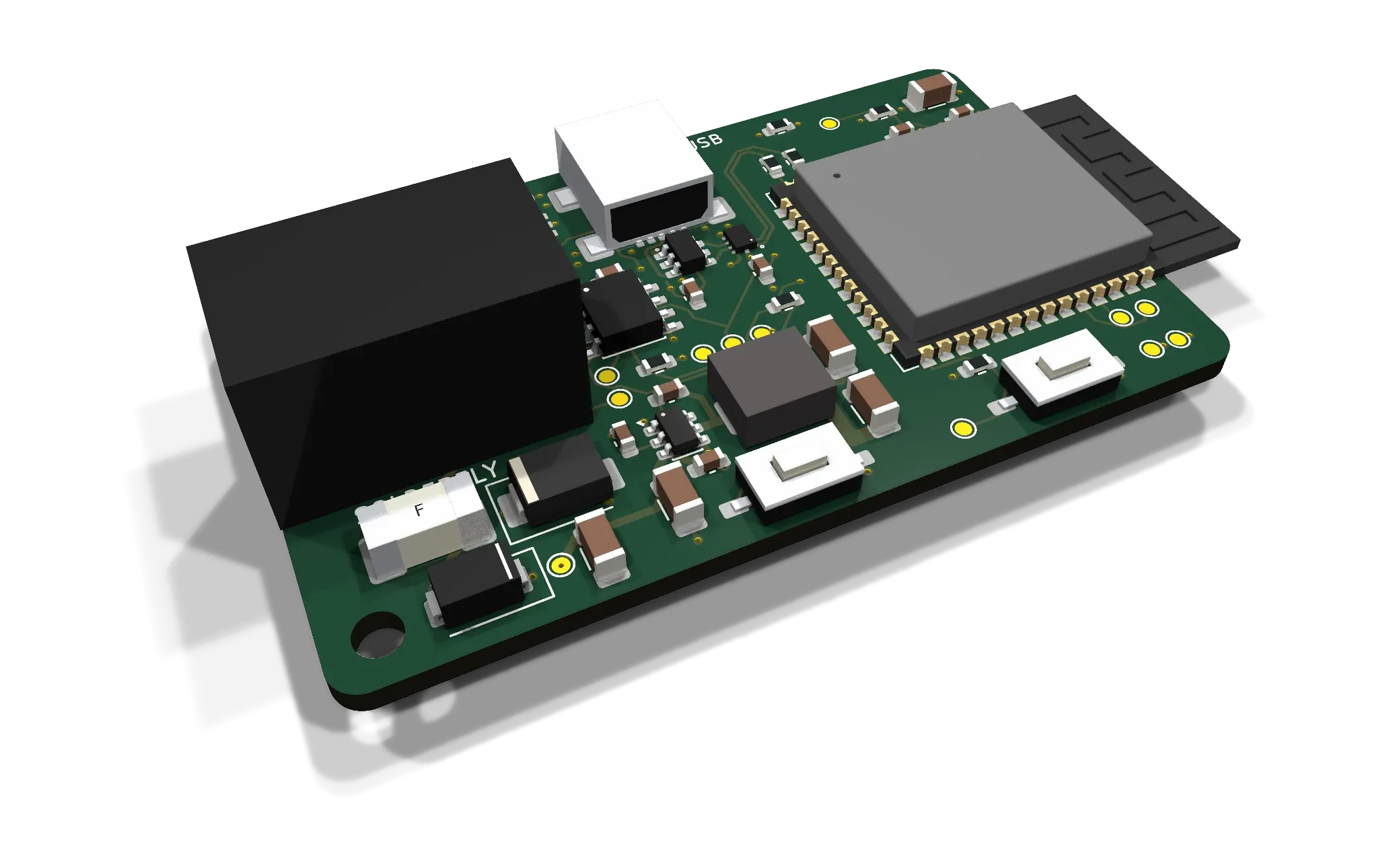
It's a small board that plugs into a spare Smart Port so a VEX robot can be tuned from a laptop over Wi-Fi, while it runs.
Cutting the cable
My first tuning dashboard worked, but only with a laptop cabled to the Brain, which is awkward on a robot that's meant to be driving. Going wireless through the controller's radio didn't work, so the answer had to be hardware.
The risk with anything that can change a robot remotely is that it does something unexpected. So before any circuit, I decided the robot would stay in charge, and the bridge would only ever carry numbers.
It also had to work for other teams, not just ours. That meant designing for robots I'll never see, wired by people who don't know how the board works inside.
What it had to do
- Tune a robot from anywhere around the field, with no cable to the Brain.
- Plug in with one normal V5 cable, with nothing else to mount.
- Never make the robot do something its own code didn't allow.
Rules I set before drawing a circuit
01
One cable, nothing else to mount
Power and data both come through a single spare Smart Port, so a team plugs it in with a normal V5 cable and it works.
02
The robot stays in charge
The bridge never touches a motor. Every change is checked and applied by the robot's own code, and if Wi-Fi drops, the robot carries on as it was.
03
One power source only
USB is for programming and never powers the board, so a laptop and the Brain can never fight over the supply.
04
Protect the Brain first
Every input is protected, so a bad cable or a wiring mistake on someone else's robot can't reach the Brain or damage the board.
05
Hardware only once software proved it
I built and tested the dashboard first. The board only exists because the software had already shown the idea was worth it.
On the board
01
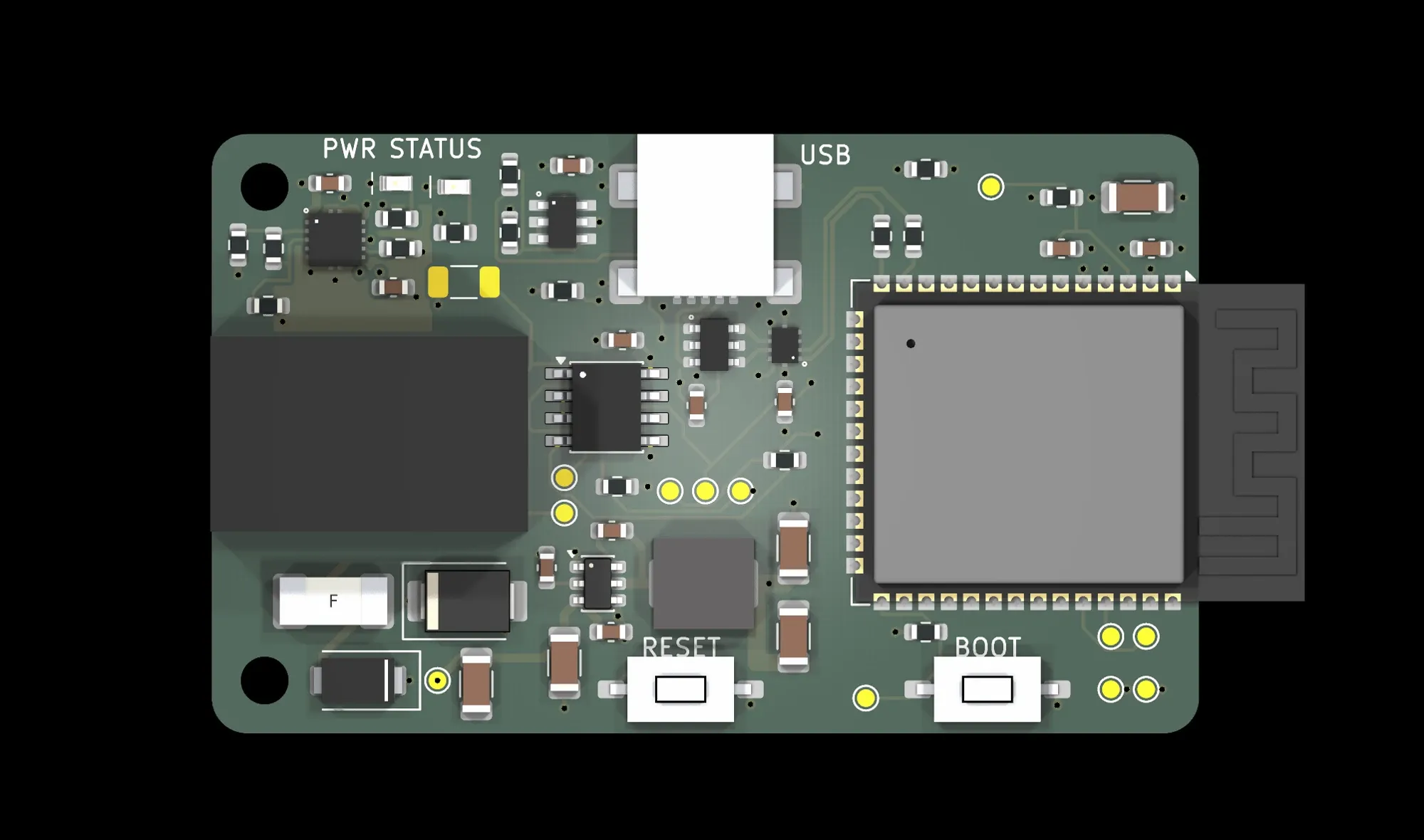
Socket at one end, antenna at the other
The cable comes in on one side and Wi-Fi goes out the other, so the antenna sits as far from the power circuitry as possible.
02
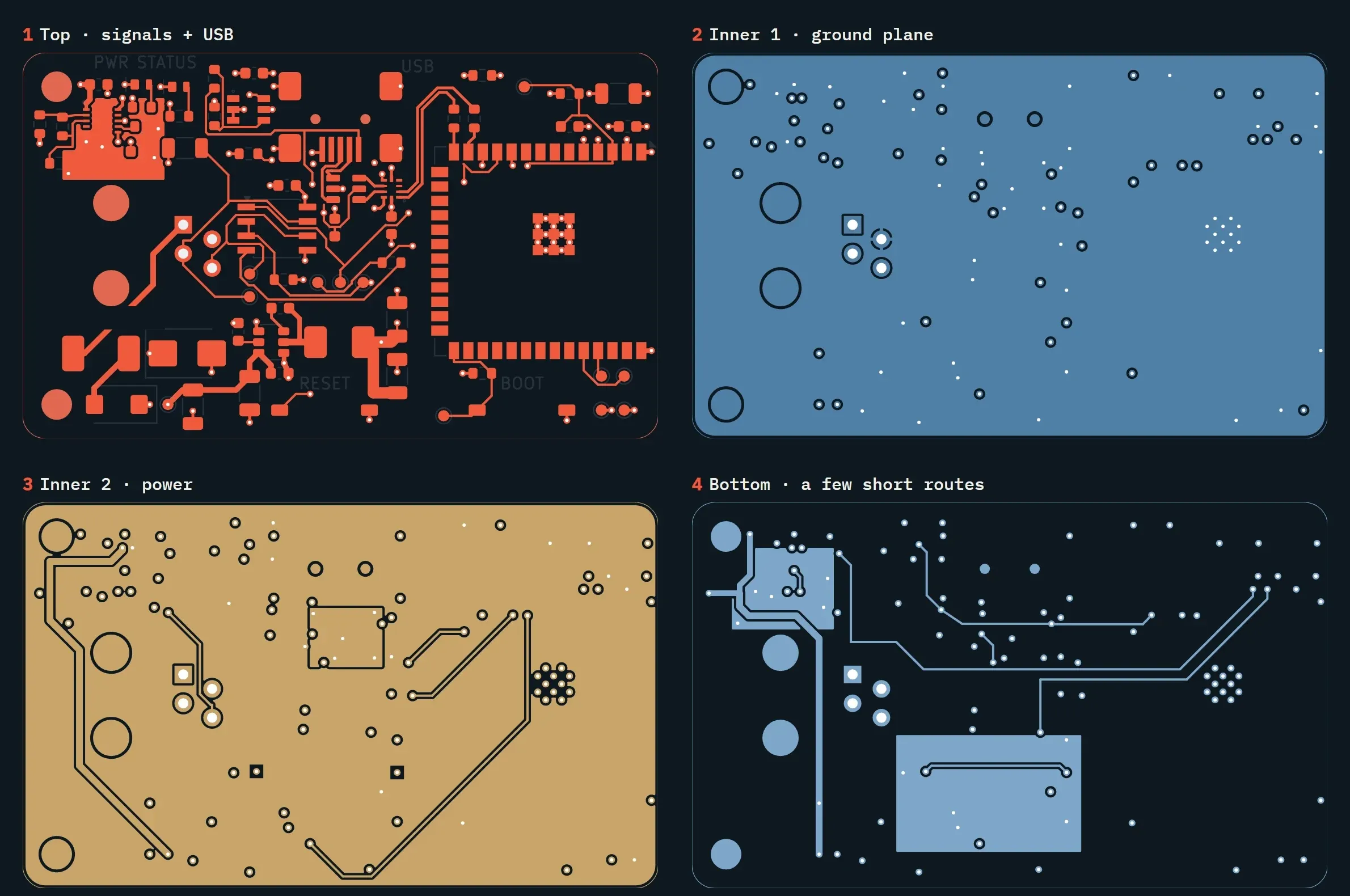
Four layers, each with one job
I used four layers instead of two so signals, ground and power each have their own layer, which keeps the radio and USB clean.
Where it’s at
The board is designed and the first five prototypes are next. Before one of them goes near a Brain, I’ll check the cable wiring and power on the bench, then test it on my robot and see how quickly changes reach the robot over Wi-Fi.
The software, and how it got to this point, is on the Live Tuning page.